Download GTA San Andreas For Nethersx2
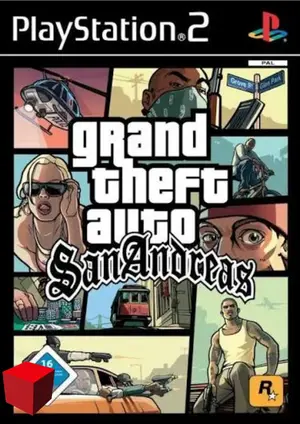
What Is GTA San Andreas?
GTA San Andreas on NetherSX2 is one of the best ways to replay a classic on your phone. Compatibility is excellent and recent NetherSX2 builds include game-specific fixes for it.
Rockstar’s 2004 open-world masterpiece takes CJ across the entire state of San Andreas. It is a big, long game — perfect for mobile play in short sessions with save states.
| Detail | Info |
|---|---|
| Title | GTA San Andreas |
| Genre | Open World |
| Released | 2004 · Rockstar Games |
| NetherSX2 compatibility | Excellent |
| Recommended format | ISO (or CHD to save space) |
| Recommended build | NetherSX2 4248 (Patch or Classic) |
Best NetherSX2 Settings for GTA San Andreas
Apply these in the game’s per-game settings so your global setup stays untouched:
Renderer
Vulkan is recommended and stable. The game runs well on the default renderer settings.
Resolution
1x–2x depending on your phone. Flagships handle 2x–3x with the draw distance looking great.
Speed
Default settings work for most devices. Enable frame limiting to avoid speed-up glitches in cutscenes.
Saving
Use both in-game saves and save states — San Andreas is long, and save states protect your progress anywhere.
How to Play GTA San Andreas on NetherSX2
- Install NetherSX2 — download the Patch or Classic build and install the APK.
- Import your BIOS — dump it from your own PS2; the region must match your game.
- Add your GTA San Andreas file — dump the disc you own to ISO or CHD and place it in your games folder.
- Apply the settings above — create a per-game profile so other games are unaffected.
- Launch and play — select GTA San Andreas from the game list and enjoy.
Legal note: only play games you own — dump your discs from your own PlayStation 2 collection.
Common GTA San Andreas Issues & Fixes
Audio stutter in cutscenes
Cause: Momentary CPU spikes during streamed audio.
Fix: Lower the resolution one step; audio stutter almost always disappears once FPS stabilizes.
Pop-in at high speed
Cause: Draw distance vs. performance trade-off.
Fix: This is normal PS2 behavior, slightly more visible on low-end phones — keep resolution at 1x.
Black screen on boot
Cause: BIOS region not matching the game dump.
Fix: Confirm your BIOS region matches the game’s region (USA/Europe/Japan).