Download Final Fantasy X For Nethersx2
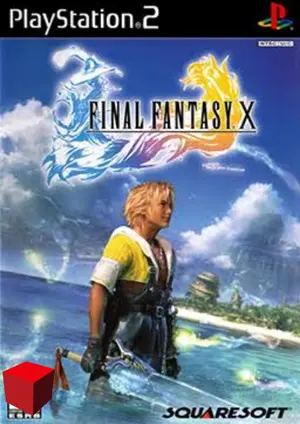
About Final Fantasy X
Final Fantasy X on NetherSX2 is a showcase title — stable, beautiful, and perfect for long mobile sessions. If you want one RPG to prove what the emulator can do, this is it.
Square’s 2001 epic follows Tidus and Yuna across Spira in one of the most beloved JRPG stories ever told. Turn-based combat makes it ideal for touchscreen play.
| Detail | Info |
|---|---|
| Title | ✨ Final Fantasy X |
| Genre | RPG |
| Released | 2001 · Square |
| NetherSX2 compatibility | Excellent |
| Recommended format | ISO (or CHD to save space) |
| Recommended build | NetherSX2 4248 (Patch or Classic) |
Best NetherSX2 Settings for Final Fantasy X
Apply these in the game’s per-game settings so your global setup stays untouched:
Renderer
Vulkan recommended; the game’s pre-rendered backgrounds and effects are clean on both.
Resolution
2x–3x on flagships makes the visuals shine; 1x is flawless on weaker phones.
Widescreen
Enable the widescreen patch in per-game settings — FFX looks dramatically better on modern phone screens.
Speed
Defaults are fine. Frame limiting keeps the FMV cutscenes playing at correct speed.
How to Play Final Fantasy X on NetherSX2
- Install NetherSX2 — download the Patch or Classic build and install the APK.
- Import your BIOS — dump it from your own PS2; the region must match your game.
- Add your Final Fantasy X file — dump the disc you own to ISO or CHD and place it in your games folder.
- Apply the settings above — create a per-game profile so other games are unaffected.
- Launch and play — select Final Fantasy X from the game list and enjoy.
Legal note: only play games you own — dump your discs from your own PlayStation 2 collection.
Common Final Fantasy X Issues & Fixes
FMV stutter
Cause: Video decoding spikes.
Fix: Enable frame limiting and keep resolution at 1x during cutscenes if needed.
Audio crackle in battles
Cause: Follows FPS dips.
Fix: Stabilize FPS first (lower resolution); the audio clears up with it.
Stretched image
Cause: 4:3 game on a tall phone screen.
Fix: Use the widescreen patch rather than stretching — it renders a true widescreen image.