Download Dragon Ball Z: Budokai Tenkaichi 3 Nethersx2
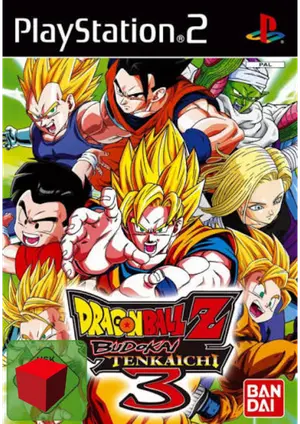
Abput Dragon Ball Z: Budokai Tenkaichi 3
DBZ Budokai Tenkaichi 3 on NetherSX2 is fast, flashy, and runs excellently — the huge roster and 3D arenas perform great on mobile.
Spike’s 2007 fighter packs 160+ characters and destructible 3D arenas. It is one of the best-performing 3D fighters on NetherSX2.
| Detail | Info |
|---|---|
| Title | Dragon Ball Z: Budokai Tenkaichi 3 |
| Genre | Fighting |
| Released | 2007 · Spike |
| NetherSX2 compatibility | Excellent |
| Recommended format | ISO (or CHD to save space) |
| Recommended build | NetherSX2 4248 (Patch or Classic) |
Best NetherSX2 Settings for Dragon Ball Z: Budokai Tenkaichi 3
Apply these in the game’s per-game settings so your global setup stays untouched:
Renderer
Vulkan gives the smoothest, most consistent fights.
Resolution
2x on flagships looks superb; 1x keeps mid-range phones locked at full speed.
Speed
Defaults plus multi-threaded VU. No frame skip needed on most devices.
Controls
Controller recommended for the flight-heavy combat; map dash and ki buttons within thumb reach.
How to Play Dragon Ball Z: Budokai Tenkaichi 3 on NetherSX2
- Install NetherSX2 — download the Patch or Classic build and install the APK.
- Import your Ps2 BIOS For Nethersx2— dump it from your own PS2; the region must match your game.
- Add your Dragon Ball Z: Budokai Tenkaichi 3 file — dump the disc you own to ISO or CHD and place it in your games folder.
- Apply the settings above — create a per-game profile so other games are unaffected.
- Launch and play — select Dragon Ball Z: Budokai Tenkaichi 3 from the game list and enjoy.
Legal note: only play games you own — dump your discs from your own PlayStation 2 collection.
Common Dragon Ball Z: Budokai Tenkaichi 3 Issues & Fixes
Effect slowdown
Cause: Ultimate attacks flood the screen with particles.
Fix: Drop to 1x during heavy effect sequences on weaker phones.
Cramped touch layout
Cause: Many buttons for flight + combat.
Fix: Use a controller, or enlarge the on-screen buttons in the layout editor.
Voice clip overlap
Cause: Rare audio quirk.
Fix: Stabilize FPS; it resolves once frame timing is consistent.